The best home security cameras that record without a subscription
A camera you have to pay for every month is a camera people switch off after a year. Both picks here record to a local card for free, and both answer the three questions honestly.
By Quiet SwitchUpdated November 1, 2026No sponsored placementSpecs from maker documentation and the live listing
Buttons on this page are Amazon affiliate links: if you buy, Quiet Switch may earn a commission at no cost to you. Nobody pays for a position. How this works.
The TP-Link Tapo C120 is the best cheap security camera for most homes, because it records locally with no fee and is rated for indoors or out. Choose the Wyze Cam v4 where a motion spotlight and siren matter more.
Which platform runs your house?
Pick one and the cards below gray out anything that will not work with it.
Not sure yet? Pick whichever phone most people in the house carry.
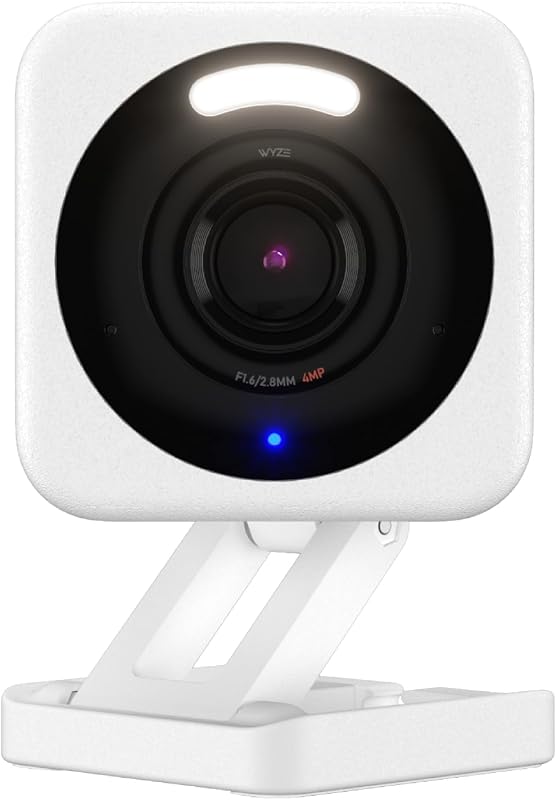
A porch, driveway or garage where a light and a siren that fire on motion are worth more than a sharper picture.
AlexaYes
GoogleYes
AppleNo
SmartThingsNo
Video
2.5K (2560×1440), 120°
Rating
IP65 indoor/outdoor
Storage
microSD up to 512 GB, no fee
Power
Wired; outdoor adapter sold separately
Records to a microSD card of up to 512 GB with no monthly fee; Wyze's Cam Plus cloud plan is optional rather than required.
Motion triggers a built-in spotlight and a siren, and the listing says person, package, pet and vehicle detection runs on the camera itself.
The magnetic base and freestanding stand mean an indoor placement needs no drill, which suits renters.
Skip this ifIt joins 2.4 GHz Wi-Fi only, outdoor use needs a weatherproof power adapter sold separately, and there is no Apple Home support. Power cut? It stops recording, because there is no battery.
The weakness of local storage is theft. If the camera goes, the card goes with it. Mount cameras out of easy reach, or pair a local camera with a cheap cloud plan for the one view that matters most.
What is still being checked
This page has two picks rather than four. Ring, eufy and Aqara cameras are on the list for the next round of listing checks; each one goes up only if it clears the same bar on reviews, seller and current generation.
FAQ
Questions people ask
Can security cameras work without Wi-Fi?
Cameras that record to a local card keep recording during an internet outage as long as they have power, but you cannot watch remotely until the connection returns. Without power, neither pick records.
Is 2K resolution enough?
For reading a face at doorstep distance, yes. Higher resolution helps with license plates and wide driveways, but costs storage and Wi-Fi bandwidth.
Do these cameras work with Apple Home?
Neither lists Apple Home support. Apple households wanting HomeKit Secure Video should wait for the Aqara camera under review or look at the Apple Home page.
Quiet SwitchOne person, no sponsors, no devices owned. Specs come from maker documentation and the live listing; nothing here is written as though it had been tested in this house. How this site works →